

You’re evaluating CRM or ERP for your business, and you’ve narrowed it down to two names: Odoo and Salesforce. But the more you research, the more confused you get: Are they even comparable? How much do they really cost? What if you make the wrong choice?
Choosing a CRM or ERP is a weighty decision for any business. It’s not just about the monthly subscription fee; this decision has long-term impacts on your team’s productivity. With the global CRM market currently valued at over $120 billion, companies are spending more time evaluating options to get the best fit for their operations.
However, this decision doesn’t have to be challenging if you understand exactly what you’re comparing. In this guide, we’ll walk you through the technical features, hidden pricing nuances, hosting options, and a practical decision framework to help you pick the right solution for your specific business needs.
Quick Snapshot: Odoo vs. Salesforce at a Glance
Choosing between Odoo and Salesforce comes down to deciding whether you need a specialized sales tool or a unified system for your entire business.
To simply the positioning:
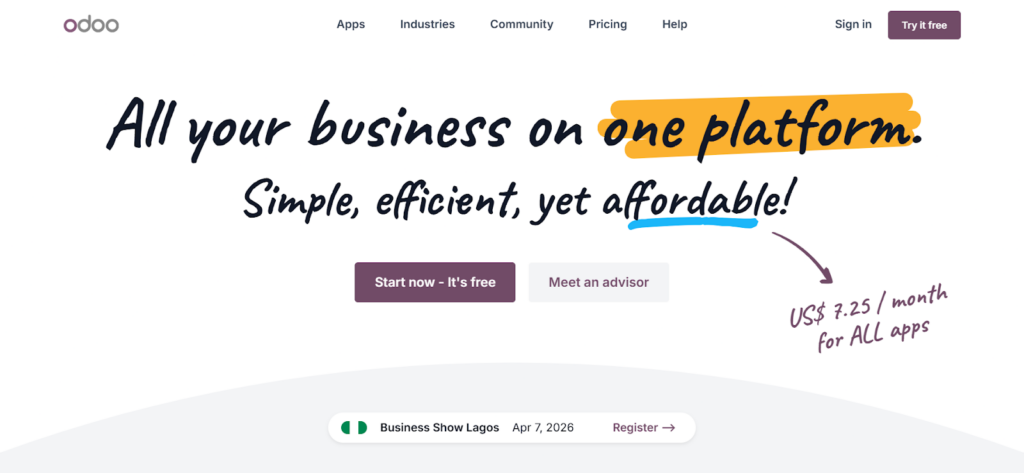
- Odoo is an open-source ERP focused on affordability, flexibility, and integrated business management across all business departments.
- Salesforce is a cloud-based CRM focused on sales excellence, massive scalability, and higher-tier enterprise support.
The table below provides a quick, visual recommendation guide:
| Scenario | Best Choice | Reason |
| Startup with a limited budget | Odoo | Access a free community edition and scale affordably. |
| SMB needing multi-department tools | Odoo | Get integrated CRM, accounting, HR, and inventory in one system. |
| Sales-focused teams only | Either | Choose Salesforce for advanced tools; Odoo if cost is the priority. |
| Large enterprise (500+ employees) | Salesforce | Benefit from proven scalability and a massive support ecosystem. |
| Need on-premises deployment | Odoo | Maintain data sovereignty; Salesforce is strictly cloud-only. |
Although Salesforce is the industry standard for strict customer relationship management, Odoo’s ability to consolidate your entire back office at a fraction of the cost makes it a compelling option.
Pick Odoo if you need an affordable, flexible, all-in-one business system that can grow without breaking the bank. But if you have a solid sales team that requires the top-industry sales tools and you don’t mind paying a premium for them, pick Salesforce.
If you go with Odoo, hosting is where a lot of that cost advantage is won or lost. Cloudpepper is a managed Odoo hosting option starting at $29/month, built specifically for Odoo deployments.
What’s the Difference? ERP vs. CRM Explained
You’ll best understand the difference between Odoo and Salesforce when you understand the distinction between an ERP and a CRM. While both systems handle data and interact with customers, their core architecture was designed to serve different needs.
Understanding What ERP Is
An ERP (Enterprise Resource Planning) system is usually designed to manage your entire business – from invoicing to manufacturing – not just the front office. It is like a single, integrated platform where every department works from a shared database.
In an ERP system, when a sales rep enters an order, the accounting module automatically generates an invoice, while the inventory module flags stock levels for the warehouse, and HR is notified if additional fulfillment staff is needed.
An ERP is like a full-service restaurant where everything is done in-house as part of one seamless operation.
Defining What CRM Is
CRM (Customer Relationship Management) software is a specialist tool focused solely on customer interactions, sales pipelines, and marketing data. It is concerned with one aspect of your business – sales & marketing.
In a CRM system, when a sales rep enters a new lead, the CRM simply tracks every email, call, and meeting to forecast exactly when the deal will close.
While your ERP is like a full-service restaurant, CRM is like a specialized steakhouse. It doesn’t try to bake bread or prepare fish; it focuses solely on preparing steak and does it brilliantly!
The Overlap and Implication
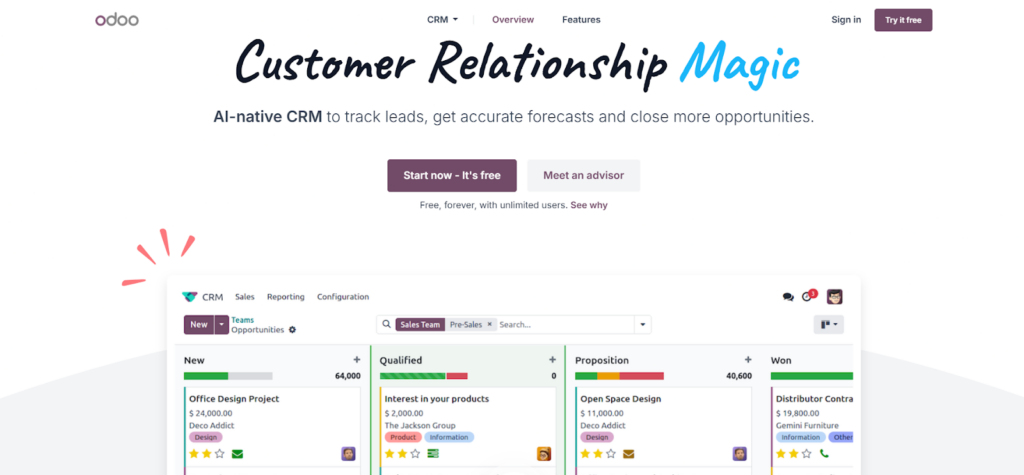
The confusion between Odoo ERP and Salesforce CRM stems from their overlap in customer data. While Salesforce is a lean CRM system, Odoo is an ERP system that features a CRM module. As a result, both software touch customer data, hence the confusion.
However, the choice implication is simple: If you need a single system to handle sales, accounting, inventory, and HR, Odoo is the natural fit. But if you only need to optimize customer management and sales with the best industry tools, Salesforce’s specificity makes it a leaner, more powerful choice.
Side-by-Side Feature Comparison: Odoo vs. Salesforce
Although Odoo and Salesforce overlap in CRM capabilities, their internal logic differs. Therefore, to choose a platform that best fits your operational needs, you must consider how each platform handles specific business functions.
The table below shows 12 essentials dimensions of both platforms and how they perform in each.
| Feature | Odoo | Salesforce | Notes |
| Type of Software | Open-source ERP | Cloud-based CRM | Fundamentally different core focuses. |
| Sales Management | Yes, built-in | Yes, purpose-built | Salesforce is slightly more advanced for pure sales. |
| CRM Fundamentals | Yes, integrated | Yes, core feature | Both are strong; Salesforce is more polished. |
| Quotations & Orders | Yes (built-in builder) | Yes (requires CPQ upgrade) | Odoo includes this out-of-the-box. |
| Accounting | Yes, integrated module | Not included | Major Odoo advantage for multi-department use. |
| Inventory Management | Yes, full module | Not included | Odoo handles physical goods natively. |
| HR & Payroll | Yes, integrated module | Not included | Odoo manages the entire employee lifecycle. |
| Reporting & Analytics | Good; customizable | Excellent; With Einstein AI | Salesforce offers deeper predictive insights. |
| Automation | Rule-based workflows | Rule-based + AI | Salesforce is more sophisticated for complex flows. |
| Mobile App | Functional, clean design | Feature-rich; field-ready | Salesforce wins for mobile-first sales teams. |
| Integrations | 1,500+ apps | 7,000+ AppExchange apps | Salesforce has a much larger ecosystem. |
| Customization | Highly flexible (Open-source) | Customizable via API | Odoo allows deeper code-level changes. |
| Deployment | Cloud, On-Prem, or Managed | Cloud-only | Odoo offers significantly more flexibility. |
The table above highlights the primary difference between the two options – scope. As shown in the table, Odoo is a fully integrated suite that eliminates the need to jump between software for back- and front-office needs. In contrast, Salesforce is a specialized CRM tool. To enjoy accounting, inventory, or HR functions in Salesforce, you need expensive additional modules or third-party integrations.
Also, in overlapping areas such as basic reporting and sales pipeline management, both options are highly capable. However, while Salesforce’s tools are more sophisticated for high-volume sales environments, Odoo’s tools are designed to be sufficient and affordable to meet most small and medium business (SMB) needs.
Comparing Pricing and Total Cost of Ownership
The pricing structures for Odoo and Salesforce are fundamentally different and this is one of the most crucial decision factors for many businesses comparing Odoo vs. Salesforce.
While Salesforce uses a tiered model where costs can quickly scale as you add essential features, Odoo offers a simpler, flat-fee pricing model with an all-in approach. Let’s take a closer look at both.
Salesforce Pricing
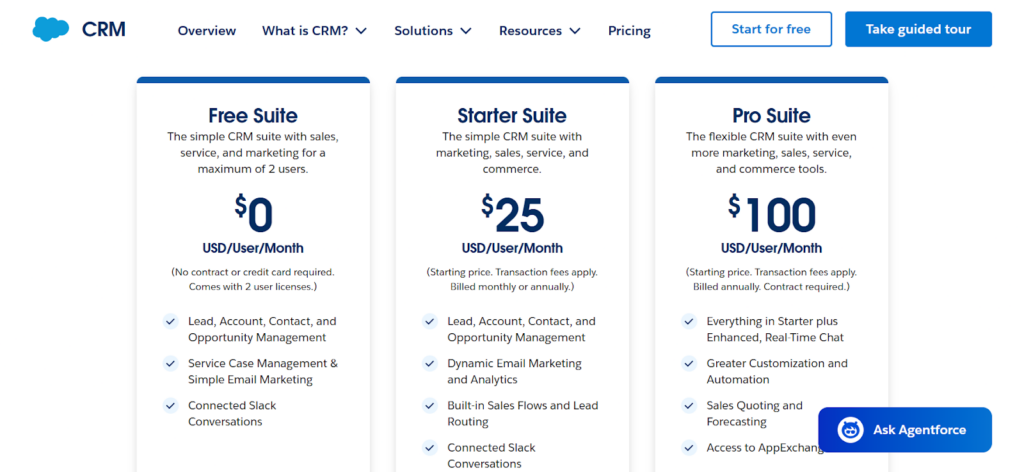
Salesforce is a premium product offering industry-grade tools and features, hence its premium price point to match. If you’re considering Salesforce for your business, below are the Salesforce price points for each tier:
- Free Suite: $0 per user, per month (limited to a maximum of two users)
- Starter Suite: $25 per user, per month (limited to very small teams)
- Pro Suite: $100 per user, per month (recommend baseline for SMBs)
Odoo Pricing
Focused on affordability, Odoo’s pricing model is much more transparent. Unlike Salesforce, Odoo takes an all-in approach, letting you access all modules for a flat per-user fee. Here’s how the tiers break down:
- Community Edition: $0 (unlimited users, self-hosted, open-source)
- One App Free: $0 (one app, unlimited users, hosted by Odoo)
- Standard: $31.10/user/month (all apps, hosted by Odoo)
- Custom: $61/user/month (all apps, plus Studio, multi-company, API access, and third-party hosting)
For hosting, you have three options: Odoo’s own SaaS platform (Odoo Online), Odoo’s developer-focused cloud (Odoo.sh), or a third-party managed host. Odoo.sh adds infrastructure fees on top of your license cost, which can add up quickly.
One thing worth knowing: these rates apply to Tier 1 countries like the US and Western Europe. Odoo charges significantly less in Tier 2 markets like Brazil, and less again in Tier 3 markets like India.
For third-party managed hosting, Cloudpepper is a popular choice among Odoo users and implementation partners, and typically more affordable than Odoo.sh
Analyzing Total Cost of Ownership
When evaluating software, it’s not enough to simply look at the subscription fee or sticker price. To understand the real financial impact, you must consider the Total Cost of Ownership (TCO). This usually includes licensing, implementation, and hidden fees.
Taking a closer look at this:
- Odoo’s free community edition makes Odoo the obvious choice for startups that need to preserve capital while building their foundation.
- A mid-sized company can save over $250,000 in three years by simply consolidating essential modules in Odoo rather than using a Salesforce-heavy stack.
- Salesforce and Odoo costs equalize at the enterprise level as user counts increase. Here, the specialized Salesforce ecosystem and industry-grade tools justify its premium price.
Nevertheless, while cost is an important factor, you must remember that it is only one out of many essential factors. You must also consider other important factors, such as deployment and management challenges and feasibility, before making a final decision.
Odoo vs. Salesforce: Implementation, Migration & Hosting
The features we’ve considered so far show what you get, but before making a final choice, it’s important to consider how you get each software into the hands of your team.
Though similar in function, Odoo and Salesforce are built on different architectural foundations. This causes variations in their deployment timelines and hosting requirements. Let’s consider what it takes to implement each option.
Salesforce Deployment: The Cloud-Only Standard
Salesforce is a Software as a Service (SaaS) platform. This means it operates exclusively in a multi-tenant cloud environment where every user runs on the same infrastructure and version.
The main advantage of the Salesforce deployment approach is the managed experience it offers. With Salesforce, you’re not just buying software, but a fully managed service, including security, seamless updates, and automatic maintenance, eliminating your need for a tech team.
However, while this hand-off model is convenient, the cloud-only model introduces major constraints, such as:
- Lack of Infrastructural Control: You can’t choose how the server is configured or where your data is stored.
- Vendor Lock-In Risk: The overwhelming cost and complexity of migrating from Salesforce make you rethink the move.
- Version Lock Paradox: Since everyone in the cloud environment is on the same version, you can’t opt out of an update. You simply adapt to each new change.
Odoo Deployment: Three Paths to Success
Unlike Salesforce, which offers an exclusive cloud-only model, Odoo lets you choose from three deployment architectures, based on your technical resources, budget, and data security requirements. These options include:
1. Cloudpepper Managed Hosting
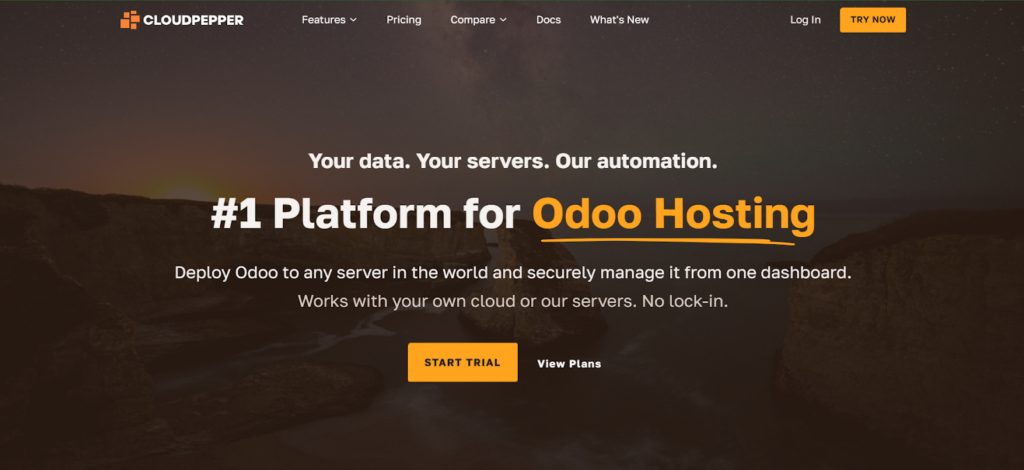
Using managed hosting through a provider like Cloudpepper puts you in a sweet spot, where you enjoy the control of an on-premises deployment with the ease of a cloud hosting option.
In this model, Cloudpepper hosts Odoo on your behalf and provides a dedicated environment tailored to your needs. Thus, you enjoy a fully managed service while retaining full ownership and control of your data and modules.
Cloudpepper eliminates the technical friction of a standard self-hosted setup while offering fast, reliable, and professional-grade support. It is best for a growing business that needs the power of a customized Odoo instance, but not the headache of managing servers.
2. Odoo Online
This is the simplest deployment model. Like Salesforce’s model, it offers a hands-off approach, where Odoo hosts the software on its own servers.
Since Odoo manages all the infrastructure, security patches, and updates, it requires zero maintenance on the users’ end, ensuring the fastest time-to-market. This model is best for startups or small businesses with limited IT staff.
However, it runs on a multi-tenant cloud environment and has limited ability to install custom Python modules.
3. Odoo.sh: The Official Hosting Path
Odoo.sh is Odoo’s official developer platform, built on Google Cloud.
It gives you a managed environment with Git integration, built-in CI/CD pipelines, and separate development, staging, and production branches. It is a good fit for teams that want a structured developer workflow without managing their own servers.
However, Odoo.sh adds infrastructure costs on top of your per-user license fee, and pricing scales linearly as you add staging environments and storage. For most growing businesses, third-party managed Odoo hosting like Cloudpepper delivers the same developer workflow capabilities at a significantly lower cost.
Migrating From Salesforce to Odoo: A Step-by-Step Guide
If you’re already using Salesforce but find the costs or limitations too high, you can migrate to Odoo in five simple steps. The following steps will help you migrate safely and successfully:
Step 1: Audit Your Salesforce Setup
Document your current usage from leads to opportunities, custom objects, and critical integrations like QuickBooks.
Step 2: Design Odoo Architecture
Map your Salesforce objects to Odoo modules and decide on a hosting architecture. You can choose between Cloud, On-Premise, or Managed Hosting.
Step 3: Migrate Data
Export Salesforce data, map fields to Odoo equivalents, and cleanse it before importing. This is the most critical stage.
Step 4: Rebuild Integrations
Connect Odoo to your existing architecture. You can use the Salesforce Connector app to synchronize data between the two platforms during the transition and create a gradual hybrid model.
Step 5: Train and Go Live
Run both system parallel for about a week or two to ensure accuracy before a full cutover.
Use Case Recommendations: When to Choose Each
It is not practical to compare Odoo and Salesforce in a vacuum. Choosing the better software should be in the context of which option aligns with your current operational needs and growth plan.
Below are three real-world business categorizations and best fit option for each.
1. The All-in-One Seekers
This category captures businesses that need a tool that does more than just track leads. Their goal is to centralize every department into a single platform to avoid the app fatigue – using different apps for different operations.
For this business category, Odoo is the best fit. Its modular nature allows you to integrate other essential modules with your CRM natively without extra cost. This results in a leaner tech stack that saves you significant subscription costs every month.
2. The High-Velocity Sales Machine
This category covers businesses whose revenue is driven by an aggressive sales team that basically lives in their CRM. Such businesses aim to optimize the lead-to-cash journey with top-industry sales intelligence and seamless integration with marketing.
Salesforce is the best fit for such businesses. Its reporting depth, Einstein AI, and mobile capabilities are designed for optimization in sales interaction. With Salesforce, you enjoy sales efficiency that justifies its premium price.
3. The Technical Trailblazers
This category captures businesses with a unique model that doesn’t fit any standard workflow. Usually, these businesses have an internal IT team and want the ability to modify the software to meet their specific needs.
For such businesses, Odoo is the best fit. As an open-source platform, Odoo is a sandbox. Users own the code and can easily build or modify existing custom modules. As a result, they create an effective system that evolves at the speed of their innovation.
Pros and Cons: A Balanced View
Every software choice involves a trade-off between control, cost, and convenience. This section presents a side-by-side view of the pros and cons of each option to help you better visualize the trade-offs.
Odoo: The Flexible All-in-One
| Pros | Cons |
| Unified Ecosystem: No need for “syncing” apps; accounting, CRM, and stock live in one database. | Jack of All Trades: Some modules (like Marketing Automation) aren’t as deep as specialized competitors. |
| Unbeatable Value: The Community version is free, and the Enterprise version is a fraction of Salesforce’s cost. | Implementation Heavy: Because it is open-source, you often need a developer to get the most out of it. |
| Total Customization: You have access to the source code; if you can dream a feature, you can build it. | Support Variability: Standard Odoo support can be slow; most users rely on third-party partners or managed hosts. |
| Deployment Choice: Choose between Odoo’s cloud, your own servers, or a managed host like Cloudpepper. | Version Upgrades: Moving from one major Odoo version to the next can be a complex technical project. |
Salesforce: The Industry Standard for Sales
| Pros | Cons |
| Best-in-Class Sales Tools: The pipeline management and forecasting tools are arguably the best in the world. | High Total Cost: Between licenses, add-ons, and consultants, it is often the most expensive option. |
| Einstein AI: Built-in predictive analytics help sales teams focus on the leads most likely to close. | “Feature Bloat”: The interface can be overwhelming for small teams who only need basic CRM functions. |
| Massive Ecosystem: The AppExchange has thousands of ready-made integrations for almost any industry. | Strictly Cloud-Only: No option for on-premises deployment or local data storage control. |
| Enterprise Reliability: 24/7 global support and a platform designed to never go down. | Rigid Architecture: You are building on Salesforce’s foundation; you cannot change the “engine” under the hood. |
Final Verdict: Your 2026 Software Strategy
Choosing between Odoo and Salesforce is not a matter of finding the best software, but the best fit for your business model. Salesforce is a specialized engine built to maximize performance and customer intelligence, while Odoo is a versatile utility vehicle designed to carry your entire business.
Choose Salesforce if your primary business challenge is a high-volume sales cycle, but choose Odoo if you need an integrated system and are focused on total cost of ownership.
Before selecting an option, take these steps:
- Run a pilot before committing to a long-term contract.
- Audit your integration needs to guide your choice.
- Consult a professional to validate your technical requirements.
