Schedule automated Odoo backups
It’s highly advisable to activate automated backups for your Odoo instance as a safeguard against potential data loss due to unforeseen events. Even with numerous countermeasures, situations like data center fires have been known to occur, emphasizing the importance of a reliable backup system that can be restored quickly when something serious happens.
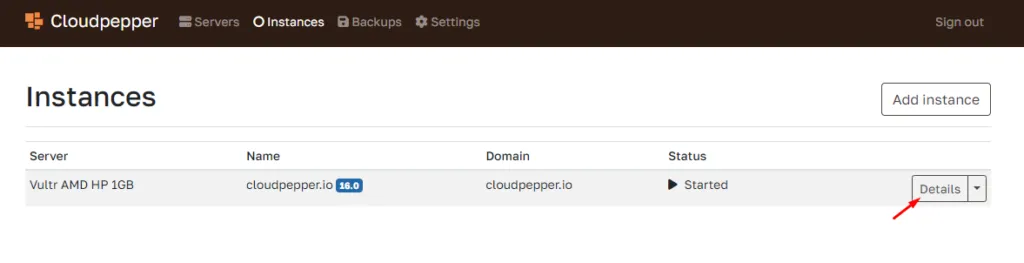
1. Open your Instance details
Section titled “1. Open your Instance details”Click on Details to open more information and configuration options of your Odoo instance.
2. Go to Backups
Section titled “2. Go to Backups”Under Backups you will find an overview of your backups and the option for Automated Backups.
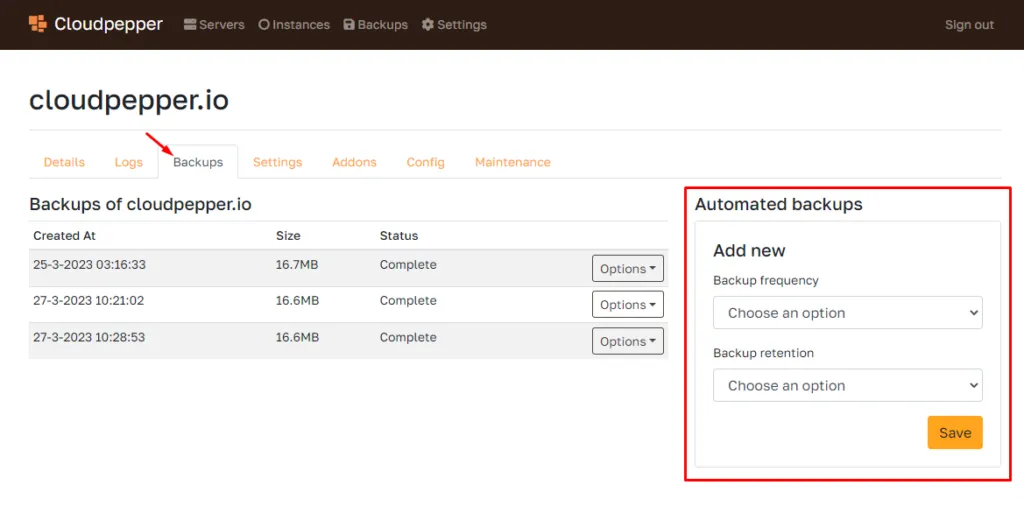
3. Set frequency and retention
Section titled “3. Set frequency and retention”You can set a backup frequency of hourly, daily, weekly, or monthly and can optionally set a retention policy for how long each backup is kept. Retention is flexible per schedule, including keeping backups indefinitely.
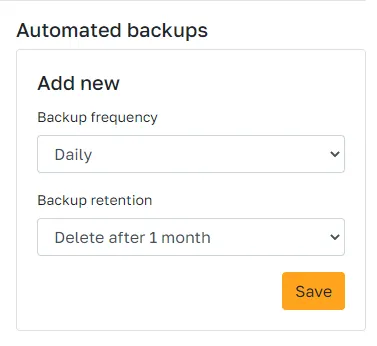
4. Click Save
Section titled “4. Click Save”Backups will be automatically stored with Cloudpepper. However, we support other providers as well (Azure Blob Storage, Google Cloud Storage, AWS S3 and SFTP). You can activate a different backup provider under “Settings”.
When you need to recover, you can restore a backup from the dashboard, including to a different server. This is useful when the original server has a major outage and you need a fast path back online without rebuilding the Odoo environment manually.