Deploy modules with Git (GitLab/Bitbucket/Other)
Walkthrough Video
Section titled “Walkthrough Video”
1. Open your instance details
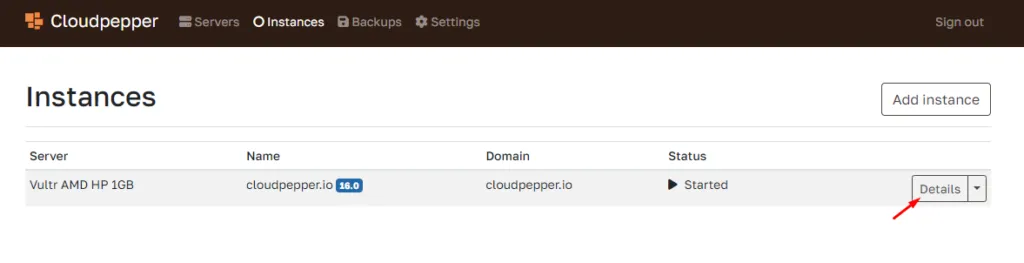
Section titled “1. Open your instance details”Click on Details of the Odoo instance for which you want to add a repo. This can be a production instance or a staging instance.
2. Open Addons
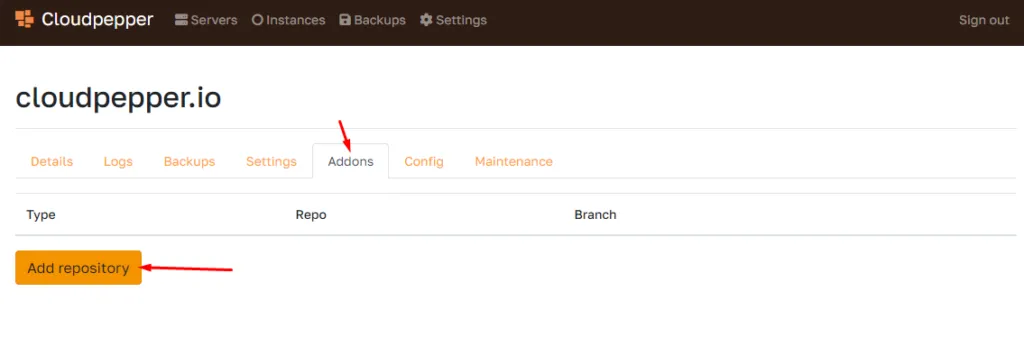
Section titled “2. Open Addons”Under the details of your instance, you can go to Addons, where you can add a git repo, whether it’s private or public.
What if my Repository is private?
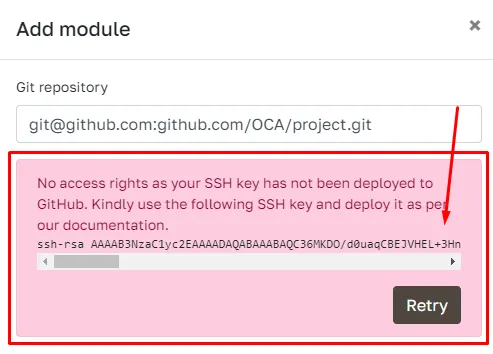
Section titled “What if my Repository is private?”Use the SSH Git link. Once you put in the link when adding a repository in Cloudpepper, you will receive a unique SSH Key. Add this SSH Key as a Deploy Key in Github and you’ll be able to import the modules of your repository.
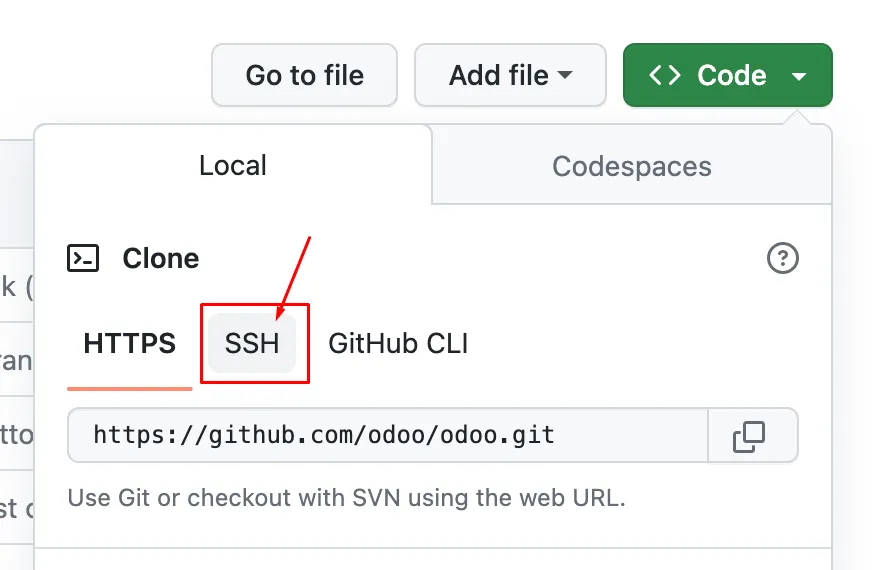
Ensure to use the SSH link on Github.
3. Select all modules or specific modules
Section titled “3. Select all modules or specific modules”Cloudpepper allows you to select which modules you want to install to your instance.
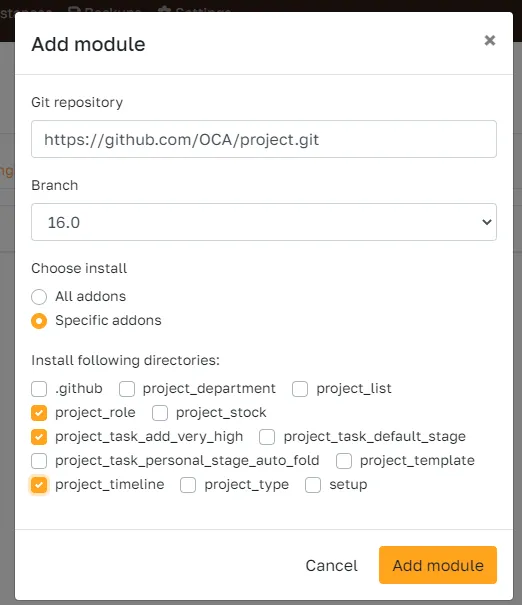
4. Click Add module
Section titled “4. Click Add module”The modules will be installed and can be activated on the App dashboard in your Odoo instance.
How to commit changes?
Section titled “How to commit changes?”When new changes have been committed, click the “Update”-button next to your repo.